Tag: llm

  • CORRECTION: The Pilot on the GitHub Aircraft Is Still There. He Just Isn’t Allowed To Touch Anything

    CORRECTION: The Pilot on the GitHub Aircraft Is Still There. He Just Isn’t Allowed To Touch Anything

    Let us pause and enjoy this moment of profound, digital humiliation of myself. I got it all wrong, the GitHub Copilot announcement. Yes, I should probably be tarred and feathered, or at the very least, stand in the drizzle on a gray marketplace in Pyongyang, awaiting the punishment announced by a committee of tiny North Korean claqueurs in badly-tailored, always too-big uniforms, whose pins and medals add nothing to their character but meaningless weight.

    They have all reason to. Because, apparently, not only LLMs hallucinate – I do, too.

    Mail From San Francisco

    Two days ago, I suggested GitHub had fired the Copilot. In reality, they just moved him to First Class and locked the door to the Student Lounge. I misread GitHub’s recent email regarding GitHub Copilot and the Student Plan, and, thereby, probably invented some things that are simply not true. I’m human; yeah, go ahead, insult me. Oh, wait, you can’t, the comments are off.

    So, that said, let’s start again, with the weary precision of a watchmaker cleaning a timepiece that has already stopped ticking. My watch stopped ticking at exactly 01:22, March 12, 2026 GMT+7, which is around March 13, 23:30 here. By now, every GitHub user clinging to the wreckage of a Student Plan must have received and read the email. If you haven’t, GitHub seems to have lost a bet and was bold enough to open a public discussion page featuring the exact content of this digital eviction notice.

    The page itself feels more like a digital Wailing Wall where students from every corner of the globe gather to share “anecdotes.” These are the stories of young men and women in developing nations who suddenly realize that the ladder they were climbing has had the top ten rungs removed by a guy in a fleece vest sitting in San Francisco, after he took the first sip of his “Venti” Starbucks coffee, extra-hot, sugar-free vanilla, oat milk latte with light foam and a drizzle of caramel, custom-ordered via an app that tracked his carbon footprint.

    GitHub Copilot on a table getting technically lobotomized.
    Ah, student? Go build your sass with gpt-4. 1!

    It is a tragic, slow-motion car crash of expectations for every Student Plan member, and GitHub is watching it from the sidewalk with the detached, glassy-eyed interest of a fashion model looking at a dead pigeon. I assume you’ve read it. If you haven’t, don’t bother; it’s just a lot of people realizing that “free” was always a temporary lease on a treadmill. Some users even threatened to switch to Zed.

    GitHub Copilot Pro ≠ GitHub Pro

    The primary source of my previous “hallucination” was the misunderstanding of this scary (I’m a student myself!) email. I was still under the impression that GitHub Pro and GitHub Copilot bound together: you verify as a student and get both GitHub Pro, and then you can enable GitHub Copilot Pro. Just like the years before.

    Well, I was wrong. I was probably too fixated on GitHub’s corporate Fata Morgana that the “commitment to providing free access to GitHub Copilot for verified students is not changing.” But a mirage is a mirage, and if you factor in that Microsoft has the reins on what happens to its swallowed companies, it won’t take long to figure out that this business model, which carried over 2,000,000 “students”, was doomed.

    What is changing is how Copilot is packaged and managed for students. What this means for you Starting today, March 12, 2026, your Copilot access will be managed under a new GitHub Copilot Student plan, alongside your existing GitHub Education benefits

    So, the Student Plan was “repackaged,” as they called it in the boring corporate bullshit term that can only come from middle management. This left students almost on the same level as – ewww! – free users, this uneducated scum! Those who probably think a club sandwich is the height of culinary achievement and that “innovation” is something that happens at a TED talk.

    Student as a Service

    Anyway, under this new Student Plan, you still have access to the, in my opinion, pretty generous GitHub Student Developer Pack, which offers some really neat things, e.g., a JetBrains license or free domains you’ll never use. But GitHub Copilot Pro? Ripped out of the offer like the free bag of salted peanuts on a domestic flight you haven’t even finished eating. In words:

    As part of this transition, however, some premium models, including GPT-5.4, and Claude Opus and Sonnet models, will no longer be available for self-selection under the GitHub Copilot Student Plan.

    The new “GitHub Copilot Student” plan is a version that isn’t listed anywhere on the glossy pricing pages. It is a phantom plan, a ghost in the machine featuring surgically precise restrictions:

    1. No selection of models. You get what you’re given
    2. Premium models, such as Claude Sonnet 4.6, Claude Opus 4.6, or GPT-4.5, can’t be selected anymore
    3. The new “Auto” mode is now your new god. It’s the AI equivalent of being fed whatever is left in the fridge at the end of the week, spoiled or not

    And then I made fun of paying users who kept saying, “Just pay through $10 bucks, man.” Fun, because I misunderstood that the GitHub Copilot Pro plan was not the Copilot Phantom offered to students. It was a genuine Pro plan, with selectable models and all, just a new one.

    Scratched GitHub Copilot helmet and logo
    “at least i had a proper lifestyle for some years. ” — hermann göring, 1945, after his capture

    But I wasn’t completely wrong, though. At least not on the first day. Until recently, it wasn’t possible to upgrade to Pro or even Pro+ if you were on a Student Plan. Why? Don’t ask me. Anyway, this, shortly after the shit storm reached GitHub from all sides, was changed:

    Pay Up or Get The GPT-4.1 Off!

    So, our highly educated, Mensa-accredited, simultaneous chess-playing students from Lahore and Peshawar now have at least the option to pay up. They – and that includes me, who dares to be white and hiding in a tropical country from the world – can now “upgrade” back to the Pro tier for $10. The multipliers – mostly in the 0.33x and 1x range – are enough for many. Unless you opt for the Claude Opus (Fast), whose multiplier of 33x can only be the result of a disgruntled GitHub employee. No sane person would burn through their monthly budget with 9 (!) requests.

    In the end, all that’s changed is: $10. Living in a tropical country where a Honda Wave, where the decision to add two, three extra passengers on the bike is totally fine, I know that $10 is not $10 everywhere. And, in my opinion, GitHub should’ve taken this into account (see the sob stories on the Wailing Wall).

    In Germany, I can get a mega pint of beer, good beer, and a hot Currywurst for probably less than $10. Here in Thailand, ~320 baht might be just enough for a poor family to keep their bellies full through the week.

    But that’s a whole different can of worms. I prefer Currywurst.

  • The rise and fall of ClawdBot (or whatever the hell it’s called today)

    The rise and fall of ClawdBot (or whatever the hell it’s called today)

    On November 25, 2025, the internet prostrated itself for yet another AI-based system. The name: ClawdBot. The promise: “Clears your inbox, sends emails, manages your calendar, checks you in for flights”. The problem: e-ve-ry-thing.

    It starts with the name itself. “ClawdBot” is only one of the names of this tool. Then there was “MoltBot”, which is today known as “OpenClaw.” The latter was chosen because “Clawd” sounded a bit too much like a trademark infringement lawsuit waiting to happen. Anthropic, whose lawyers gave much sharper “claws”, didn’t find the homage amusing. Alright, said the sole Austrian developer, Peter Steinberg, and changed it to “MoltBot.” What led to the (hopefully last) change to OpenClaw is unknown.

    ClawdBot, MoltBot, OpenClaw

    But it was too late. Thousands of people had already downloaded, used, and written glorifying reviews of what is now OpenClaw, including media giants like Forbes, Wired, and Axios. And when the ClawdBot references ended, and everyone switched to “MoltBot,” the name had already been changed again. This time to “OpenClaw,” which was released on January 4, 2026. With people like Alex Finn, founder and CEO of Creator Buddy (some kind of competitor), who called it the greatest AI application to date, like having a dedicated AI employee at your service around the clock.

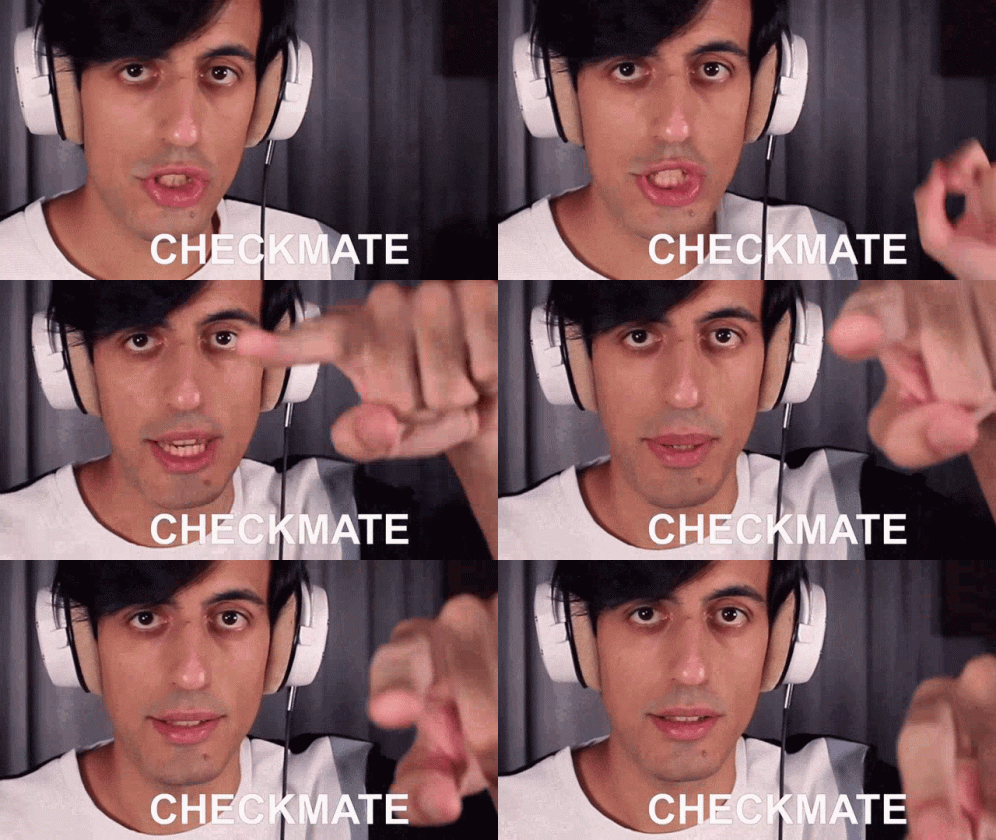
    If you’re not confused at this point, you’re not paying attention. It took me a few hours to realize that all these products were, more or less, exactly the same. One thing stayed, though: The CLI command clawdbot. Checkmate, Anthropic!

    A close-up of a man, Davie504, with dark hair wearing white over-ear headphones, looking directly into the camera with a deadpan, intense expression as the word "CHECKMATE" appears in bold white text over his mouth.
    Checkmate, anthropic. Wait, not so fast.

    A’ight, so what the hell is ClawdBot MoltBot OpenClaw actually? Marketed as “the AI that actually does things,” OpenClaw runs directly on users’ operating systems and applications. It can automate tasks such as managing emails and calendars, browsing the web, and interacting with online services.

    What Problems does it solve? None

    Let’s pretend for a second that this actually works. I have a server running… what was the name again? Right, OpenClaw. So, a server running OpenClaw in the background and hooked up to whatever AI provider you wish; it works with almost everything. Before running it, I set up a Telegram bot. That’s your point of entry. Writing to your new “contact” is like writing a normal AI prompt. “Hey, create a new Vite.js project in my home directory. Some /-commands are available for quick configuration, but that’s it, in essence.

    The community was so excited, they forced the software into everything that has enough memory, from

    Raspberry Pis

    Raspberry pi terminal screenshot and tweet on black background
    Image #1 for “the rise and fall of clawdbot (or whatever the hell it’s called today)”

    to a freaking Tamagochi!

    Tweet about custom tamagotchi on e reader device
    Image #2 for “the rise and fall of clawdbot (or whatever the hell it’s called today)”

    Self-proclaimed “analysts” on LinkedIn, whose primary skill is formatting listicles and adding emojis to every line, announced the “dropping” of the “Ultimate ClawdBot Report,” which was viewed 41,434 times as of today.

    But even the reviews – at least the ones not written by the intern of the “Lifestyle” section of their news site – already saw a glimmer of problems on the horizon that has evolved into a gigantic shitstorm and is currently trashing the project – regardless of the name. X users are now frantically deleting their glorifying posts and acting like they “knew it from the beginning.” Yeah, John, sure.

    It’s a rare phenomenon that an open-source software grows explodes so fast, with almost everyone comparing it to an AI assistant personally engineered by Jesus Christ himself. And then, within merely weeks or just days, was nailed to the cross, stoned, and led to bleed to death in the smoldering sun of a toxic open-source community.

    And the whole debate has just started.

    “From magick to malware”

    The security flaws were plentiful, to put it mildly. Leaking actual API keys, sucking up bandwidth for training, and payload injection are only some of the “200+ safety issues” my new adopted country claims to have.

    The awesome guys at Cisco.com went into more detail and weren’t afraid to call ClawdBot a “security nightmare.” They went so far as to add ClawdBot to their security tool, which exposes the app’s tool poisoning and command injection, just to name a few. The biggest flaw: the possibility of adding malicious MoltBot ClawdBot skills used to push password-stealing malware.

    Even my favorite and dearly loved password manager, 1Password, which is one of my must-have apps, warned users using ClawdBot with a bold headline, “From magick to malware,” that is as essential as the Epstein files. I could list a ton of other articles explaining what’s wrong with this assistant, but I don’t think that’s necessary. What is necessary is one thing to keep in mind:

    AI-driven Software can be as unsafe as renting a scooter in Phuket with zero experience and a flip-flop on one foot, even if the developer swears the “brakes are brand new.”

    A Cautious Tale of Open-Source Projects

    I, too, toyed with OpenClaw over the weekend. The old URL clawd.bot now redirects to openclaw.ai, after the presumably preferred .bot domain was snatched away on January 29, 2026. It took me a while to really install and get it to work. Before letting it go rogue on my server, which hosts, among others, this blog, which has the SEO ranking of a Geocities page dedicated to hamster funerals.

    So I chose to install it on my iMac. One line, an install script, that’s all it needed—that was the promise. Of course, this wasn’t the case, and I ended up downloading the GUI version to get at least some visual ideas of what’s going wrong and how to get this thing started.

    In the end, I managed. I hooked up to Telegram via creating a bot and tested a few LLMs – Gemini 2.5 Flash-Lite, Minimax 2.1, Qwen3 – by “chatting” with it and giving it the occasional, harmless command (“Create a Markdown file containing a poem of Alpacas on my Desktop”). It worked, technically. But so does a sundial at night if you have a flashlight: It moved with the urgency of a granddad browsing Netflix. The slash commands themselves were as fast as you’d expect. But general text queries took – and I counted this a dozen times – 4-5 seconds.

    The last thing I tried was creating a Telegram group, thinking I could share this awesome assistant with my wife, whose employer recently underwent a hostile takeover by the Chinese and immediately saved the biggest unnecessary by banning everything from free water to bringing your own fan in a country where the temperatures are over 32 °C (90 °F, for the less educated) for 360 days of the year.

    API Keys needed? Just hack ClawdBot

    Spoiler alert: It failed harder than a junior developer on their first deploy on a Friday afternoon. I managed to get a group running (wow!), invited my assistant (Minimax 2.1, which I felt was the best choice for this), and was also able to give it commands. However, my dear wife was entirely ignored. So much about my experience.

    And then I asked myself: What problem does this solve? I mean, what actual problem? Or, to say it with the checklist of one optimistic X user who thought ClawdBot, or whatever it was called back then, was the perpetuum mobile of churning through arduous tasks:

    • wake up on time
    • not lay in bed scrolling
    • exercise
    • eat a healthy breakfast
    • avoid procrastinating
    • stop panic anxiety loops
    • focus on work
    • make sweet love

    Needless to say, none of this was my problem. And call me old-fashioned, but I prefer to fuck my wife personally. If I wanted a lifeless, automated interaction, I’d just use JIRA.

  • Finding your cat memes just got easier: My free “AI Image Renamer” script renames your image files to what they actually show

    Finding your cat memes just got easier: My free “AI Image Renamer” script renames your image files to what they actually show

    AI Image Renamer is a small Python script you don’t want to miss. AI—like any other tool—exists to make our lives easier, to solve problems, or to take over tasks that we’re simply too lazy for. A quick search on GitHub for AI-related scripts or apps, though, often doesn’t seem to follow that pattern. In fact, it’s the complete opposite: quite a few tools using AI in one form or another solve problems that nobody has.

    (more…)
  • Using BoltAI’s Shell Plugin to Automate Tedious and Boring Tasks with Groq

    Using BoltAI’s Shell Plugin to Automate Tedious and Boring Tasks with Groq

    I know, I know, the AI hype train has long left the station, and it’d be rather embarrassing to explain for the millionth time what AI (or, to be precise, generative AI), how they work, and what prompts yield the best results for whatever you’re using it for.

    But there’s one feature that, at least according to my observations, is rarely touched: plugins. Let me give you just one example of how it can automate a whole chain of commands with just one prompt.

    (more…)